Enter/change user codes

Enter/change user codes

Apart from the administrator code the Code Handle Window can store 4 additional user codes.

Note: The factory administration code must be changed before a new user code can be added.
  1. Before you start, write down the user code (6 digits).
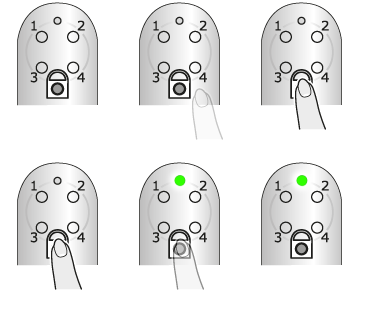
  2. Hold the lock button pressed to enter programming mode.
    The LED turns steady green.
  3. Enter the administrator code.
    The LED turns steady green.
  4. Press button 1 to select programming of user codes.
    The LED turns steady green.
  5. Select one of the 4 memory positions by pressing the corresponding button, 1-4.
    The LED turns steady green.
  6. Enter the new user code (6 digits).
    The LED flashes green.
  7. Test the new code by locking and unlocking.

To store additional codes in the remaining memory positions, repeat the steps above.